LeakLens – Profit Tracker for WooCommerce
See the real profit on every order and product — after cost of goods, shipping, payment fees, refunds, ads and COD returns — and find the products that lose money.
- Block checkout compatible
- Free version available
- HPOS compatible
- Works with Google Sheets
- Works with Slack
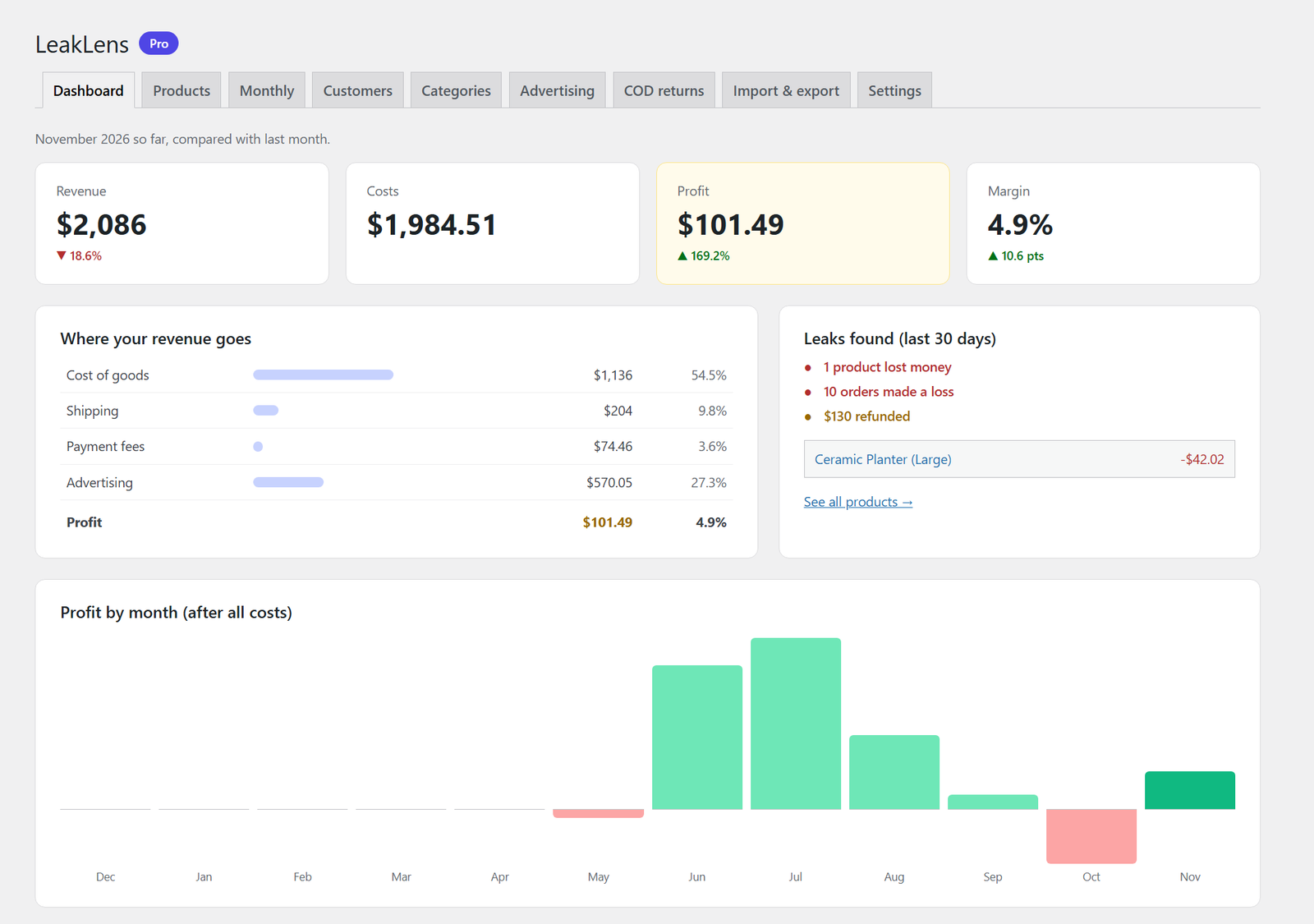
Real screens from the plugin — click to enlarge


What changes for you
Today, by hand
- Guessing which products actually make money
- Adding up costs, shipping and gateway fees in a spreadsheet
- Not noticing that a best-seller loses money on every order
- Forgetting that refunded orders still cost you the payment fee
- COD parcels coming back and quietly eating your margin
With LeakLens – Profit Tracker for WooCommerce
- Profit and margin on every order, right in the Orders list
- Every product ranked worst first, with loss-making ones flagged
- Shipping, payment fees and refunds counted automatically
- Ad spend and COD returns subtracted from profit (Pro)
- A weekly report in your inbox listing every new leak (Pro)
Features
Know your profit
- Cost of goods on every product and variation
- Profit and margin on every paid order
- Profit column in the Orders list
- Profit by product and by month
- Works out profit for past orders on day one
Find the leaks
- Loss-making and low-margin flags
- Orders that made a loss
- Refunds that still cost you the payment fee
- Products with no cost set
Every real cost (Pro)
- Advertising spend: manual or CSV import from Meta and Google Ads
- COD returns: return rate, loss, products and regions
- Real Stripe, PayPal and WooPayments fees
- Shipping label cost per order, cost per method, packaging
Stay on top (Pro)
- Profit by customer and by category
- Custom date ranges and a 12-month chart
- Weekly leak report by email, Slack and Google Sheets
- CSV exports and product cost import
WooCommerce tells you how much you sold. It doesn’t tell you how much you kept. Once you pay for the goods, the shipping, the payment fees, the ads and the parcels that come back, some of your best-selling products may be losing money on every order.
LeakLens works out the real profit on every order, product, customer and month, and points straight at the leaks: loss-making products, orders that cost you money, refunds that still left you paying fees, and COD returns that never earned a cent.
Install it, add your product costs, and it works out profit for your past orders too — so your first report is useful the same day.
Free vs Pro
The core features, free forever. Upgrade any time without losing settings.
Coming soon to WordPress.orgEverything in Free, plus full automation, coupons, analytics and integrations.
Choose a Pro license| Feature | Free | Pro |
|---|---|---|
| Cost of goods on products and variations | Yes | Yes |
| Profit per order and Orders list column | Yes | Yes |
| Profit by product with loss-making flags | Yes | Yes |
| Profit by month (12 months) | Yes | Yes |
| Shipping and payment fees | Estimated | Real fees + label costs |
| Refunds counted | Yes | Yes |
| Advertising costs (manual + Meta / Google CSV) | — | Yes |
| COD return (RTO) costs and return rate | — | Yes |
| Packaging cost per order | — | Yes |
| Profit by customer | — | Yes |
| Profit by category | — | Yes |
| Custom date ranges and 12-month chart | — | Yes |
| Weekly leak report (email, Slack, Sheets) | — | Yes |
| CSV exports and cost import | — | Yes |
Requirements
- WordPress
- 6.4 or later
- WooCommerce
- 8.0 or later
- PHP
- 7.4 or later
Resources
FAQ
How is profit worked out?
Revenue is the order total minus tax and refunds. Profit is revenue minus cost of goods, shipping cost and the payment fee. Pro also subtracts packaging, ad spend and COD returns.
Will it show profit for my old orders?
Yes. When you activate it, LeakLens works through your past paid orders in the background.
What if I don't know the cost of every product?
Set a default cost percentage and LeakLens uses it as an estimate, marking those products so you know which ones to fill in. Pro can import costs from a spreadsheet.
If I change a product's cost, does old profit change?
No. Each order keeps the cost from when it was sold. You can choose to apply today's costs to past orders with one click.
How does the ad spend import work?
Export a daily report from Meta Ads Manager or Google Ads as CSV and upload it. LeakLens finds the date, amount and campaign columns itself.
Is it compatible with HPOS?
Yes, it fully supports High-Performance Order Storage.
What happens after the first year?
The product keeps working. You can optionally extend updates for another year at about 40% of the original price. We never renew automatically.
Related products
-
Payments & Recovery
GatewayMetrics – Payment Gateway Reports for WooCommerce
See how much every payment gateway really earns — and get an email the moment one starts failing.
From $39View -
Payments & Recovery
NudgeCart – Abandoned Cart Recovery for WooCommerce
Win back lost sales on autopilot: every abandoned cart gets a timed reminder, a one-click restore link and,…
From $49View -
Customers & Marketing
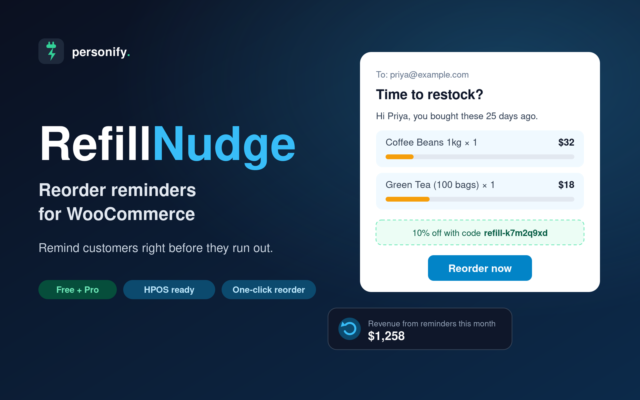
RefillNudge – Reorder Reminders for WooCommerce
Email customers a few days before the products they buy run out, with a one-click button that refills…
From $59View


Reviews
There are no reviews yet.