SiteRescue – Emergency Recovery & Safe Mode for WordPress
An emergency button for WordPress: fix a broken site in minutes, even when the site and the dashboard won't load.
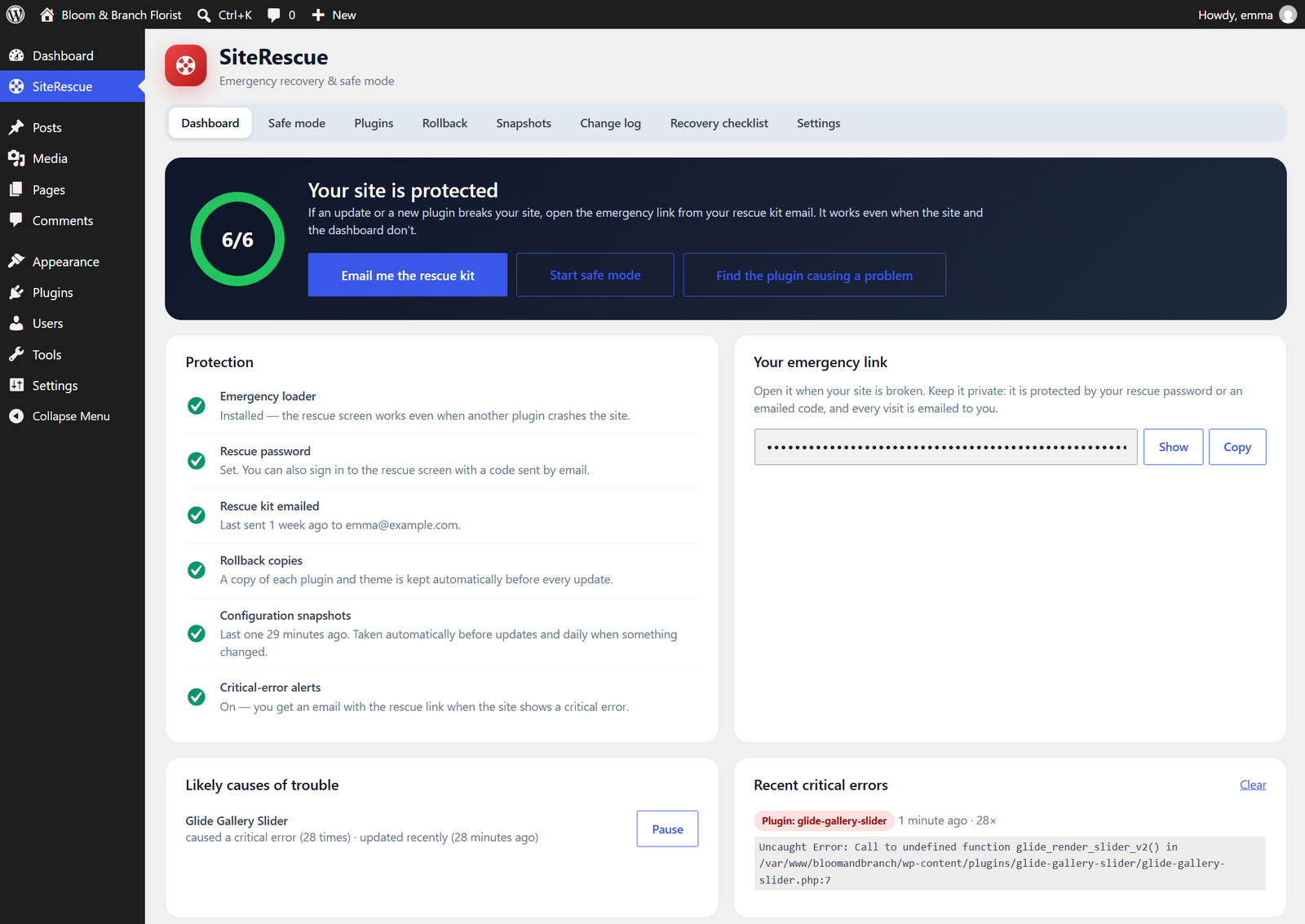
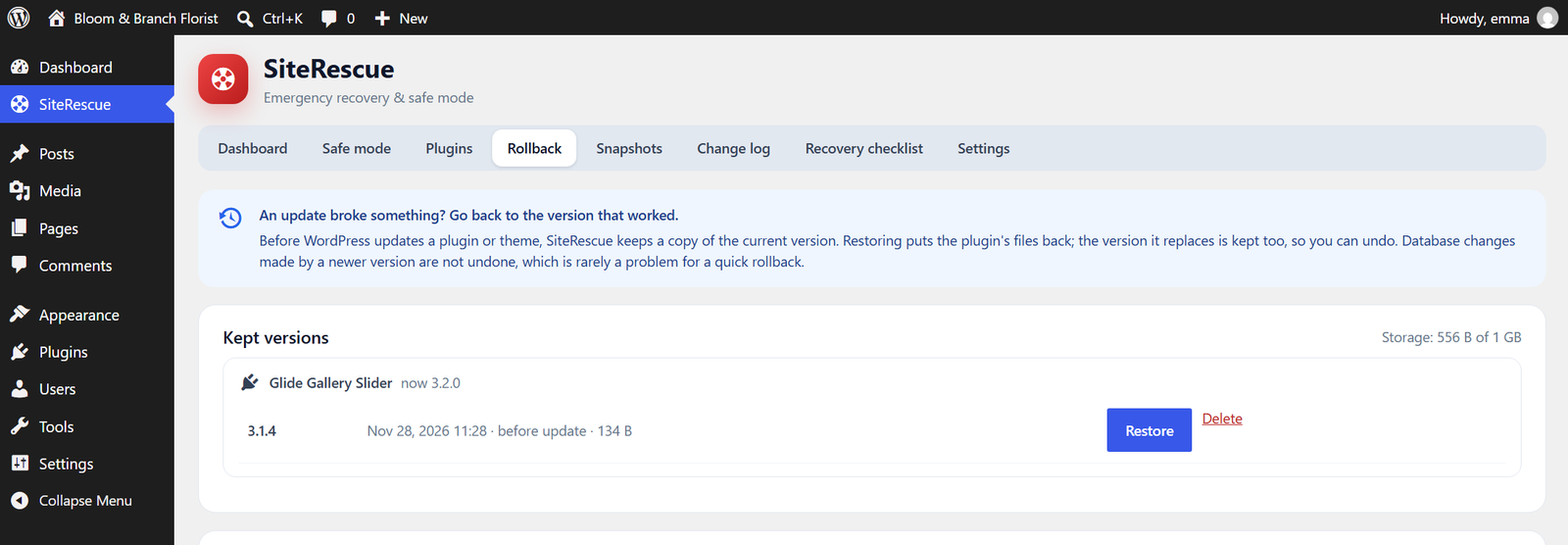
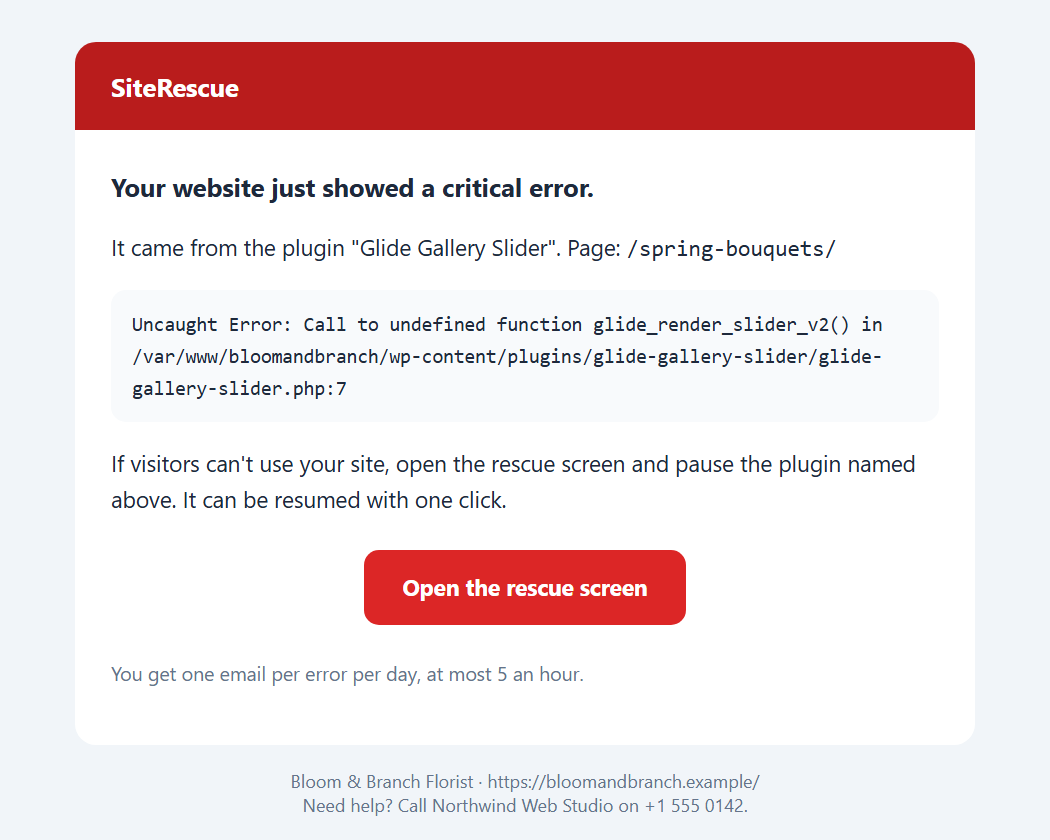
Real screens from the plugin — click to enlarge



What changes for you
Today, by hand
- An update or new plugin shows "There has been a critical error"
- You can't even get into the dashboard to undo it
- No idea which of your 20 plugins is to blame
- No copy of the version that worked yesterday
- Waiting hours for a developer while visitors see a broken site
With SiteRescue – Emergency Recovery & Safe Mode for WordPress
- A private emergency link that works even when the site is down
- The likely cause named for you — pause it in one click
- Safe mode just for you, while visitors see nothing different
- Roll back the update that broke things to the version that worked
- An email the moment your site breaks, with the fix one click away
Features
Rescue a broken site
- Emergency rescue screen that works when the site and dashboard are down
- Pause the likely cause, or all plugins, in one click
- Switch everyone to a default theme and back
- Open the dashboard in safe mode from the rescue screen
Find the cause
- Likely causes ranked from critical errors and recent changes
- Safe mode: plugins and theme off in your browser only
- Conflict finder: a few yes/no questions find the plugin
- Recovery checklist with details ready for your host
Undo changes
- A copy of each plugin and theme kept before every update
- One-click rollback that can itself be undone
- Configuration snapshots before updates and daily
- Compare any snapshot with today and put back what changed
Stay informed
- Critical-error alert emails naming the plugin
- Change log of plugins, themes, updates, settings and admins
- Rescue kit email with your link and plain-English steps
- Agency branding on the rescue screen and emails
You update a plugin, and suddenly your site says “There has been a critical error”. The dashboard won’t open either, so you can’t undo it. Most website owners have no idea what to do next — and every minute the site is down costs visitors, orders and trust.
SiteRescue gives you a private emergency link that works even when nothing else does. It tells you which plugin most likely caused the problem and lets you pause it with one click. Not sure which one it is? Safe mode and the conflict finder track it down in your browser only, while visitors see nothing different. And if an update broke things, roll back to the version that worked.
Built for non-technical owners and the agencies who look after their sites: nothing is ever deleted, every action can be undone, and you get an email the moment your site breaks — with the fix one click away.
Requirements
- WordPress
- 6.4 or later
- PHP
- 7.4 or later
Resources
FAQ
Does the rescue screen really work when my site is down?
Yes. SiteRescue adds a small must-use loader that runs before every other plugin, so the rescue screen opens even when a plugin crashes every page and the dashboard.
Can SiteRescue make things worse?
It is built not to. Nothing is ever deleted: pausing a plugin only stops it loading (its files and settings stay), safe mode affects only your browser, and every action is logged with an undo.
Who can open the emergency link?
Only someone with the secret link plus your rescue password or a one-time code emailed to you. Every sign-in is emailed to you, and repeated wrong attempts are locked out.
Is it a backup plugin?
No. Rollback keeps copies of plugin and theme versions, and snapshots record your setup (active plugins, versions, theme, key settings). Keep using a backup plugin for full backups of files and the database.
Does it need WooCommerce?
No. SiteRescue works on any WordPress site — blogs, business sites, shops and membership sites.
Will it slow my site down?
No. On normal page views it does almost nothing; it only works when you use it or when a critical error happens.
Is there a free version?
No, SiteRescue is a paid plugin. Your license includes 1 year of updates, and the plugin keeps working after that.
What happens after the first year?
The product keeps working. You can optionally extend updates for another year at about 40% of the original price. We never renew automatically.
Reviews
There are no reviews yet.